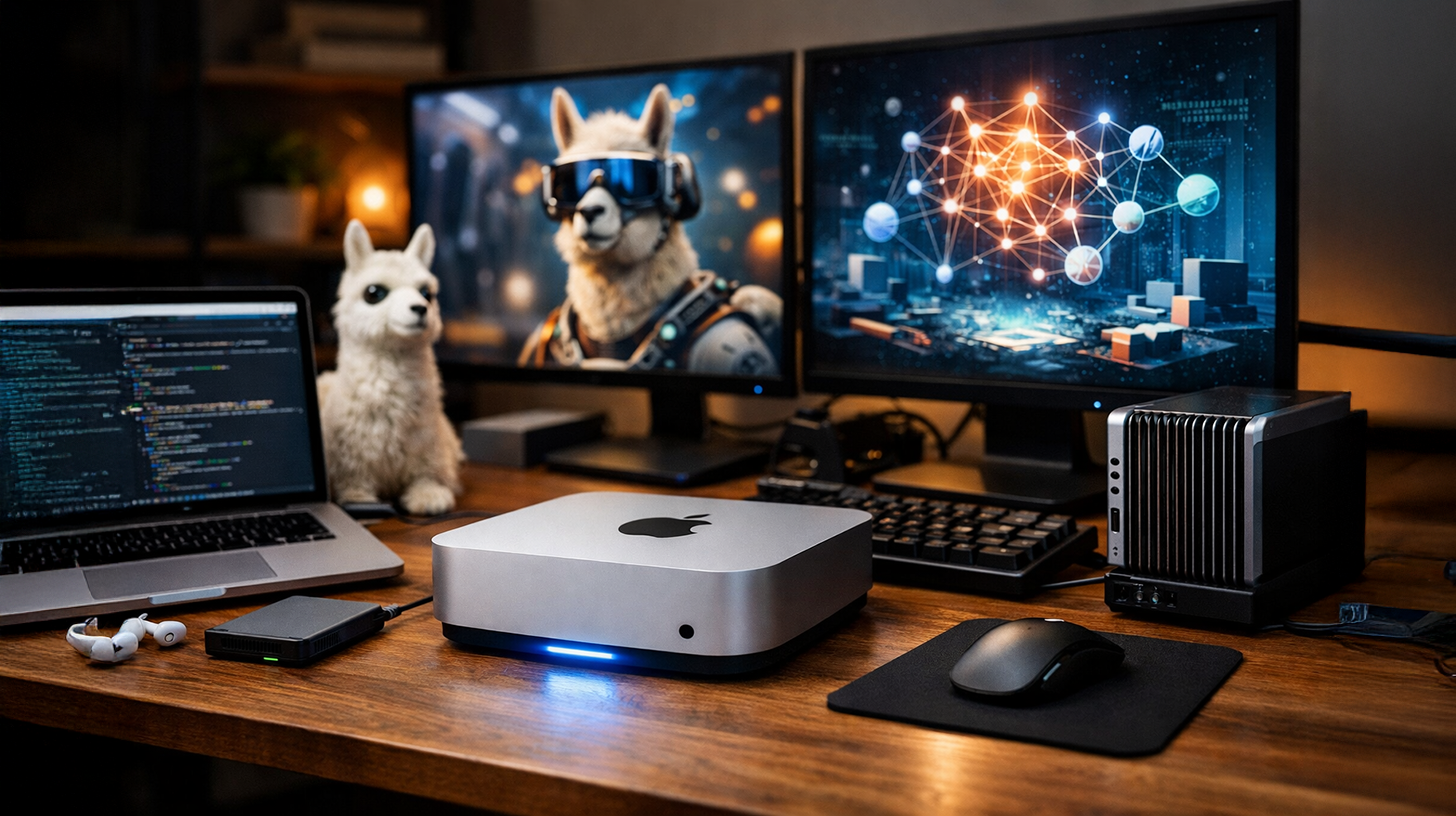
Goodbye, ChatGPT subscription! Use Llama 3.1 & DeepSeek locally – How to build your own private AI hub with the Mac mini M4 Pro – Creative image: Xpert.Digital
A mini Nvidia alternative? Why the Mac mini M4 Pro is the perfect powerhouse for local LLMs
The Mac mini M4 Pro: The quiet revolutionary of local artificial intelligence
In an era where artificial intelligence is often associated with gigantic data centers, immense power consumption, and expensive cloud subscriptions, an unassuming player enters the stage and changes the game: the Mac mini M4 Pro. Often hailed as the "silent hero" of the AI revolution, this compact desktop computer proves that powerful AI applications no longer require noisy server racks or data-hungry cloud services. With this device, Apple has built a bridge that allows individual users, developers, and small businesses to run the world's most powerful language models—from Llama 3.1 to DeepSeek—directly on their own desktops.
The secret behind this performance lies in the innovative Unified Memory Architecture (UMA). Unlike traditional PCs, which suffer from the bottleneck of data transfer between the CPU and a separate graphics card, the M4 Pro accesses a shared memory pool of up to 64 GB. With a bandwidth of 273 GB/s, it eliminates latency and enables inference performance that challenges even high-end graphics cards in terms of efficiency and price-performance. The Mac mini not only stays cool but also operates whisper-quietly – a stark contrast to the whining fans of traditional AI workstations.
But the Mac mini M4 Pro is more than just a piece of hardware; it's a tool for democratization and data sovereignty. By combining it with user-friendly software like Ollama and OpenWebUI, users can build complex AI setups where sensitive data never leaves the local network. Whether for businesses that prioritize data privacy or enthusiasts who want to avoid monthly API costs, the Mac mini M4 Pro offers an economical and technologically superior entry into the world of local AI. The following questions and answers explore in detail why this small computer has such a big impact.
Related to this:


What is the Mac mini M4 Pro and why is it called the "Silent Hero" of the AI revolution?
The Mac mini M4 Pro is a compact desktop computer from Apple featuring the M4 Pro chip, specifically optimized for local artificial intelligence. It's dubbed a "silent hero" because it works discreetly and efficiently in the background, without requiring the large cloud infrastructures or expensive server racks traditionally needed for AI applications. The Mac mini M4 Pro empowers individuals and small businesses to run professional AI models directly on their own computers, democratizing large language models (LLMs).
What are the key technical features of the Mac mini M4 Pro?
The Mac mini M4 Pro's standout technical feature is its Unified Memory Architecture (UMA). While conventional PCs laboriously move data back and forth between the CPU and GPU, the M4 Pro accesses a shared memory pool. This enables significantly more efficient data processing. With a memory bandwidth of up to 273 GB/s, AI models are supplied with data at lightning speed. Up to 64 GB of RAM allows even demanding models like Llama 3.1 70B or DeepSeek to run locally in quantized form. These specifications make the Mac mini M4 Pro a true powerhouse in a compact form factor.
How does the storage architecture of the Mac mini M4 Pro differ from that of traditional PCs?
Traditional PCs with separate CPU and GPU systems have to constantly move data back and forth between different memory areas. This leads to bottlenecks and latency issues. The Mac mini M4 Pro, on the other hand, uses a Unified Memory Architecture, where the CPU and GPU access the same memory area. This eliminates inefficient data transfers and enables seamless collaboration between the processing units. The resulting memory bandwidth of 273 GB/s is a huge advantage for AI applications that need to process large amounts of data quickly.
How efficient is the Mac mini M4 Pro in terms of power consumption compared to other AI hardware?
The Mac mini M4 Pro's energy consumption is impressively low. A typical PC with an NVIDIA RTX 4090 consumes 400 to 500 watts under load. The Mac mini M4 Pro, on the other hand, performs the same inference tasks with a fraction of that power. This has several practical consequences: 24/7 operation becomes economically viable, as electricity consumption doesn't skyrocket. The office or home office doesn't overheat, and cooling requirements are minimal. For businesses, this translates into significant savings on operating expenses.
Why is the Mac mini M4 Pro particularly suitable for local AI applications?
Apple designed the Mac mini M4 Pro as a virtually perfect "headless server" for local AI applications. The company recognized that for approximately 99 percent of users, inference (i.e., using and querying already trained AI models) is far more important than training new models. This was a deliberate design choice that makes the Mac mini M4 Pro ideal for practical AI applications. The combination of processing power, storage capacity, and efficiency creates a price-performance ratio that surpasses professional AI workstations. Apple has thus significantly lowered the barrier to entry for high-quality local AI.
What storage capacity is needed for large AI models on the Mac mini M4 Pro?
With up to 64 GB of RAM, the Mac mini M4 Pro offers ample capacity for impressively large models. Powerful models like Llama 3.1 70B or DeepSeek can be run locally in quantized form. Quantization is a process that reduces the precision of model parameters to lower memory consumption without significantly sacrificing quality. This is a major advantage over traditional NVIDIA cards, where you would have to spend a fortune on additional VRAM to run similar models locally.
How quiet is the Mac mini M4 Pro during operation?
The Mac mini M4 Pro is virtually silent during operation. This clearly distinguishes it from many other AI hardware systems that produce noticeable fan noise under load. Its near-silent operation makes the Mac mini M4 Pro ideal for a home office desk or an office where quiet is important. A server room is not required for this computer, which not only simplifies operation but also means that no special infrastructure needs to be set up.
Why are the sales figures for the Mac mini M4 Pro so impressive?
The high sales figures for the Mac mini M4 Pro are the result of a perfect combination of several factors. First, it offers exceptional technical performance in a compact form factor. Second, it is energy-efficient and cost-effective to operate. Third, Apple has enabled many individuals and small businesses to participate in the AI revolution without requiring enormous upfront investments or ongoing cloud subscriptions. Fourth, the adoption of open-source AI tools and the growing demand for on-premises solutions due to privacy concerns have increased significantly. All these factors combined have led to strong demand for the Mac mini M4 Pro.
What is meant by "inference" in the context of AI?
Inference is the process of using a pre-trained AI model to make predictions or answer questions. Unlike training, where a model is trained for the first time on large datasets, inference uses an existing, pre-built model. For most end users, inference is the relevant process—they want to use a language model to answer questions, generate text, or solve tasks. Training new models is a one-time or infrequent process, primarily performed by large companies and research institutions. The Mac mini M4 Pro is specifically optimized for efficient inference.
What costs can be saved with local AI operation compared to cloud solutions?
Running AI locally on the Mac mini M4 Pro eliminates several ongoing costs. First, there are no subscriptions for cloud AI services like ChatGPT Plus or similar services. Second, there are no API costs per request, which can quickly add up with frequent use. Third, the Mac mini M4 Pro's electricity costs are significantly lower than those for cloud computing. Fourth, there are no internet data transfer costs. After an initial investment in hardware, ongoing costs are minimal. For businesses or power users who regularly use AI, the hardware investment often pays for itself within a few months.
What does an optimal software setup for AI on the Mac mini M4 Pro look like?
A proven setup combines two main components: The backend uses Ollama, a user-friendly tool for easily loading and managing AI models. The frontend utilizes OpenWebUI, a user interface that feels like ChatGPT but runs completely privately on the user's own computer. Ollama handles the technical details of model management, while OpenWebUI provides an intuitive interface. This setup is not only performant and stable but also relatively easy for beginners to configure. Experienced users can also integrate additional tools and frameworks to further optimize their setup.
What advantages does Ollama offer as a backend for local AI?
Ollama is a specialized tool that simplifies the operation of large language models on local computers. Its main strengths lie in its ease of use and compatibility with a wide range of models. Ollama handles complex technical details such as model optimization, memory management, and GPU utilization, so the user doesn't have to worry about them. Installation is straightforward, and loading new models is done with simple commands. Ollama supports numerous popular models such as Llama, Mistral, Neural Chat, and many more. For beginners, Ollama is an ideal entry point into the world of local AI.
What are the strengths of OpenWebUI as a frontend?
OpenWebUI provides a user-friendly interface that makes working with local AI models intuitive. Users familiar with ChatGPT or similar services will find it immediately intuitive. OpenWebUI supports features such as conversation history, model switching, and advanced settings. The user interface is clean and modern. A major advantage is complete control over the data—everything remains local and never leaves the computer. OpenWebUI also allows multiple users to be managed on the same Mac mini M4 Pro when it is shared on a network. The combination of functionality and ease of use makes OpenWebUI the preferred choice for many local AI users.
A new dimension of digital transformation with 'Managed AI' (Artificial Intelligence) - Platform & B2B solution | Xpert Consulting
A new dimension of digital transformation with 'Managed AI' (Artificial Intelligence) – Platform & B2B solution | Xpert Consulting - Image: Xpert.Digital
Here you will learn how your company can implement customized AI solutions quickly, securely and without high entry barriers.
A managed AI platform is your all-inclusive, worry-free solution for artificial intelligence. Instead of dealing with complex technology, expensive infrastructure, and lengthy development processes, you receive a ready-made solution tailored to your needs from a specialized partner – often within just a few days.
The key advantages at a glance:
⚡ Rapid implementation: From idea to ready-to-use application in days, not months. We deliver practical solutions that create immediate added value.
🔒 Maximum data security: Your sensitive data stays with you. We guarantee secure and compliant processing without sharing data with third parties.
💸 No financial risk: You only pay for results. High upfront investments in hardware, software, or personnel are completely eliminated.
🎯 Focus on your core business: Concentrate on what you do best. We take care of the entire technical implementation, operation, and maintenance of your AI solution.
📈 Future-proof & scalable: Your AI grows with you. We ensure continuous optimization and scalability, and flexibly adapt the models to new requirements.
More information here:
Privacy revolution: How the Mac mini M4 Pro puts AI back in your hands
What data privacy benefits does local AI offer on the Mac mini M4 Pro?
The most important data privacy advantage is absolute data sovereignty. All data you input into a local model never leaves your computer. With cloud-based solutions, requests are transferred to external servers where they may be stored, analyzed, or used to train further models. Operating locally gives you complete control over your data. This is especially important for businesses that handle sensitive information, lawyers, doctors, or anyone who simply wants to protect their privacy. EU GDPR and other data protection regulations are automatically complied with because data is not transferred internationally. This also eliminates dependence on the privacy policies of cloud providers.
Related to this:


How is the performance experienced when operating locally compared to cloud solutions?
The performance is surprisingly good in several respects. Latency is virtually zero, as the data doesn't have to travel across the internet to a remote server and back. The model's response is generated locally, resulting in a seamless user experience. There are no network delays or downtime due to internet issues. Even with moderate internet connections, using a cloud service is often slower. For offline use, local AI is the only option. The perceived speed of working with a local setup on the Mac mini M4 Pro is surprisingly impressive for many users and leads to a more productive way of working.
Which AI models can run on the Mac mini M4 Pro with 64 GB of RAM?
With 64 GB of RAM, impressively large models can be run on the Mac mini M4 Pro. Popular large models such as Llama 3.1 70B, Llama 3.1 405B (quantized), Mistral 8x22B, DeepSeek, and many others run stably. There are virtually no limitations with smaller models like Llama 2 7B or Mistral 7B. Even 13-billion-parameter models run smoothly. Quantization allows the use of even larger models by reducing the precision of the weights—usually without any significant loss of quality. For specific requirements, several smaller models can also run in parallel. This flexibility in model selection is a major advantage of the Mac mini M4 Pro.
How does the quantization of models differ?
Quantization is a process that reduces the precision of the weights in an AI model. For example, a model might normally be trained with 32-bit precision (Float32). Through quantization, this can be reduced to 16 bits (Float16), 8 bits, or even 4 bits. This significantly reduces the required memory size. If a model typically requires 140 GB, aggressive 4-bit quantization can reduce it to around 35 GB. The trade-off is a slightly reduced precision, but with quantization methods like GGUF, this loss is perfectly acceptable for most practical applications. Quantization is key to enabling large models to run on hardware with limited RAM.
How do you ensure that the Mac mini M4 Pro runs stably 24/7?
To ensure the Mac mini M4 Pro runs reliably around the clock, several measures are important. First, a stable operating system update should be performed, and the software should be kept up to date. The ambient temperature should be appropriate – excessive heat can affect reliability, but the Mac mini M4 Pro generates little heat. Adequate ventilation is important, even though the computer is very quiet. A backup system for important data is recommended. The power supply should be protected by a UPS (Uninterruptible Power Supply) to prevent data loss due to power outages. Ollama and OpenWebUI should be configured to start automatically after restarts. With these precautions, the Mac mini M4 Pro will run reliably for extended periods.
What networking options does the Mac mini M4 Pro offer?
The Mac mini M4 Pro offers multiple network connectivity options. It features Gigabit Ethernet for stable, high-speed wired networks. WiFi is also available for wireless connections. This connectivity allows the Mac mini M4 Pro to be positioned as a dedicated AI server within the network. Multiple users or devices can connect to a centrally located Mac mini M4 Pro and leverage its AI capabilities. This is particularly valuable for smaller businesses or teams that want to share AI services without expensive cloud infrastructure.
How do I connect external storage devices to the Mac mini M4 Pro?
The Mac mini M4 Pro has multiple ports for external storage. Thunderbolt ports enable high-speed transfers for external SSDs or other storage devices. USB ports offer additional options. External storage is recommended for archives of large models or training data to avoid overloading the internal storage. External access is possible over the network when the external storage is connected to the Mac mini M4 Pro. This provides flexibility in managing models and data.
Is the Mac mini M4 Pro suitable for businesses?
Yes, the Mac mini M4 Pro is very well suited for businesses. Its compact size allows for easy placement in offices or data centers. The low operating costs and energy efficiency are economically advantageous for companies. The ability to process sensitive data locally meets the data protection requirements of organizations. Compared to large cloud infrastructures, the Mac mini M4 Pro is significantly more cost-effective for medium-sized businesses. Small and medium-sized enterprises can use it to deploy their own local AI services without relying on external providers. Management is simple, and the hardware is reliable.
How is the Mac mini M4 Pro used in educational institutions?
Educational institutions benefit significantly from the Mac mini M4 Pro. Schools and universities can use it to offer students direct experience with modern AI systems without subscribing to expensive cloud services. The computer is ideally suited for AI courses and projects. Research teams can use it to conduct experimental AI projects without allocating massive hardware budgets. The combination of performance and cost-efficiency suddenly makes AI education affordable for many institutions. Students learn how professional AI systems work, directly on accessible hardware.
What are the economic implications of local AI on the Mac mini M4 Pro?
The economic impact is significant. First, the barrier to entry for AI technology is drastically reduced. Startups and small businesses can now integrate AI functionality without enormous investments. This fosters innovation and entrepreneurship. Second, dependence on cloud providers is reduced, giving companies more control and independence. Third, ongoing operating costs for organizations using AI decrease. Fourth, decentralized and distributed AI systems become possible, instead of everything remaining concentrated on a few large cloud providers. This could lead to a healthier, more competitive landscape in the AI sector.
What does the future of local AI look like with the Mac mini M4 Pro?
The future of local AI with the Mac mini M4 Pro looks very promising. The trend toward open, non-proprietary AI models is likely to continue. Apple is expected to make further hardware improvements, boosting performance even more. The software ecosystems around Ollama and OpenWebUI are becoming more complex and powerful. More specialized models for specific tasks will become available, running on local hardware. The combination of hardware and software will continue to improve. Data privacy and sovereignty are becoming increasingly important factors in the decision between local and cloud AI. The Mac mini M4 Pro is likely to become a standard tool for many organizations.
What challenges exist in local AI operations?
Despite its many advantages, there are also challenges. Initial setup requires technical knowledge that not all users possess. Model and software updates must be managed manually. Support is primarily available through community forums, not official commercial channels. Selecting the right models for specific tasks requires experimentation. Performance tuning may be necessary to achieve optimal results. Availability may be limited for very specific or highly specialized models. Despite these challenges, the advantages clearly outweigh the disadvantages for many users.
What are the first steps to starting with local AI operations?
To get started with local AI operation on the Mac mini M4 Pro, you should first download and install Ollama. Then, load your first model with a simple command, for example, "ollama pull llama2". Next, download and install OpenWebUI. After launching the OpenWebUI interface, you can log in and select your model. You can then ask initial questions. The technical documentation for both tools is comprehensive and beginner-friendly. Online tutorials and video guides help with every step. With a little patience and experimentation, the setup is perfectly manageable for technically inclined users.
How do you choose the right AI model for your needs?
The choice depends on the specific requirements. For general tasks like writing and answering questions, Llama 2 7B or Mistral 7B are excellent choices with low resource consumption. For more demanding tasks, larger models like Llama 3.1 13B or 70B are suitable. Specialized models exist for coding, mathematics, creativity, and other areas. It's advisable to start with smaller models to see if they meet the requirements. If not, you can gradually move to larger models. Experimentation is normal and part of the process. Community reviews and benchmarks can help with orientation.
What role does the community play in the development of local AI?
The open-source community plays a central role. Projects like Ollama, OpenWebUI, and many AI models are developed by the community and are continuously improved. Forums, GitHub, and other platforms facilitate the exchange of experiences and best practices. Users share their configurations, model evaluations, and optimization tips. This collaboration drives innovation and makes the technology more accessible. The community is generally helpful and welcoming to beginners. Many questions are answered, and extensive documentation is available. This collaborative dynamic is a major advantage of the open-source ecosystem.
Why the Mac mini M4 Pro is a game changer
The Mac mini M4 Pro is truly a game changer for local AI. By combining powerful hardware, energy efficiency, data privacy, and cost-effectiveness, Apple has created a product that significantly accelerates the democratization of AI technology. It enables individuals, startups, and small businesses to run professional AI systems without relying on expensive cloud services. The perfect combination of hardware and open-source software like Ollama and OpenWebUI makes it the ideal choice for local AI. Anyone serious about working with AI and who values data privacy, cost-efficiency, and independence should seriously consider the Mac mini M4 Pro. The "Silent Hero" moniker is well-deserved: quiet and unobtrusive, this small computer empowers anyone to shape the future of AI locally.
Your global marketing and business development partner
☑️ Our business language is English or German
☑️ NEW: Correspondence in your native language!

Konrad Wolfenstein
I and my team are happy to be available to you as your personal advisor.
You can contact me by filling out the contact form here wolfenstein@xpert.digital:or simply call me at +49 7348 4088 965. My email address is
I'm looking forward to our joint project.
☑️ SME support in strategy, consulting, planning and implementation
☑️ Creation or realignment of the digital strategy and digitization
☑️ Expansion and optimization of international sales processes
☑️ Global & Digital B2B trading platforms
☑️ Pioneer Business Development / Marketing / PR / Trade Fairs
🎯🎯🎯 Benefit from Xpert.Digital's extensive, five-fold expertise in one comprehensive service package | BD, R&D, XR, PR & Digital Visibility Optimization

Benefit from Xpert.Digital's extensive, five-fold expertise in a comprehensive service package | R&D, XR, PR & Digital Visibility Optimization - Image: Xpert.Digital
Xpert.Digital possesses in-depth knowledge across various industries. This allows us to develop tailored strategies precisely aligned with the requirements and challenges of your specific market segment. By continuously analyzing market trends and monitoring industry developments, we can act proactively and offer innovative solutions. The combination of experience and expertise generates added value and provides our clients with a decisive competitive advantage.
More information here: